Bina Kisi Coding Ke, WordPress Se Professional Live Websites Banana Step-by-Step Seekhein!
Sirf theory nahi — Trainer ke saath live screen-sharing par seekhein ki domain aur hosting lene se lekar, WordPress setup, stunning layout design aur live website publish kaise hoti hai.
Aap Abhi Tak WordPress Website Banana Kyu Nahi Seekh Paye?
Aap akele nahi hain — 90% log YouTube ke random tutorials me ghanto confuse rehte hain.
- 🚫 Jab koi step samajh na aaye toh doubt puchhne wala koi nahi hota.
- 🚫 Outdated plugins aur themes ke adhe-adhure videos.
- 🚫 Sirf video dekh kar reh jate hain, practical website launch nahi ho pati.
- 🚫 Complete professional workflow aur client handling koi nahi sikhata.
- ⚡ Live Screen-Sharing: Trainer ke saath real-time me website setup dekhein.
- ⚡ Instant Doubt Solving: Live session me mic open karke direct sawal puchein.
- ⚡ Full Practical Workflow: Domain, hosting se lekar live pages aur SEO tak.
- ⚡ Recording Backup: Agar session miss ho jaye toh portal me full recording milegi.
WordPress Se Aap Kis Tarah Ki Websites Banana Seekhenge?
Is training me aap market me sabse zyada demand wale 6 website models ka structure aur workflow seekhenge.
01. Complete E-Commerce Store
WooCommerce, variable products, automated invoicing, aur Indian payment gateways (Razorpay/UPI) ka complete setup.
02. Corporate & MSME Business Site
Local businesses aur companies ke liye high-trust lead generation portal with enquiry forms, WhatsApp & Google Maps.
03. High-Conversion Ad Landing Page
Meta Ads aur Google Ads ke liye under-1.5-second fast loading sales funnel with Meta Pixel & Conversion API tracking.
04. Personal Branding & Portfolio
Freelancers, creators aur professionals ke liye client-converting portfolio with case studies aur appointment booking.
05. High-Traffic Monetized Blog
Google AdSense approval-ready layout, affiliate comparison tables, Schema SEO aur Google Analytics 4 integration.
06. Course Portal & LMS Website
Coaches aur institutes ke liye automated course selling website with video security, student dashboard aur certificates.
Website Kaise Banti Hai — Zero Se Launch Tak Ka Workflow (Day 1 to 15)
Aap step-by-step ek real website project ka complete workflow seekhenge — domain se lekar website launch, SEO, speed aur 3 Days Canva Free Classes tak.
- Domain names kya hote hain aur kaise work karte hain
- Professional aur memorable domain choose karna
- .com, .in, .org jaise extensions samajhna
- Domain purchase mistakes avoid karna
- Hosting ko domain ke saath connect karna
- SSL setup for secure website
- One-click WordPress installation
- Dashboard overview and settings
- Permalink structure configure karna
- General settings optimization
- User roles and permissions
- Website security basics
- Backup and restore setup
- Website structure planning
- Fast aur modern theme choose karna
- Free vs premium theme difference
- Theme customization process
- Essential plugins for every website
- SEO and performance plugin setup
- Security, contact form and backup plugins
- UI/UX fundamentals for websites
- Visual hierarchy and layout planning
- Typography and font combinations
- Color combination, logo and branding
- Section creation and spacing
- Modern design techniques
- Call-to-action positioning
- Professional homepage
- Landing page for marketing
- About company page
- Services showcase page
- Blog setup and publishing
- Contact form page
- Footer and navigation setup
- Legal pages: privacy policy and terms
- Responsive website principles
- Mobile-first design
- Tablet optimization
- Typography responsiveness
- Mobile menu creation
- Touch-friendly layouts
- Cross-device testing
- Mobile performance optimization
- Complete on-page SEO setup
- Keyword research basics
- Meta titles and descriptions
- SEO-friendly URLs
- Internal linking strategy
- Image optimization
- Sitemap creation
- Website indexing optimization
- Search Console account create karna
- Domain verification process
- XML sitemap submit karna
- Indexing issues fix karna
- Search performance monitor karna
- Impressions and clicks samajhna
- Search keywords track karna
- Google visibility improve karna
- Google Analytics install karna
- Analytics ko website se connect karna
- Website reports samajhna
- Traffic sources monitor karna
- Conversion tracking basics
- Audience insights
- Data ke basis par improvement decisions
- Facebook page connect karna
- Instagram integration
- WhatsApp chat integration
- YouTube embedding
- Social sharing setup
- Social channels se branding strong karna
- Website speed optimization
- Caching setup
- Image compression
- Core Web Vitals basics
- Lazy loading setup
- Performance testing
- Database optimization
- Fast-loading website structure
- Final website checklist
- Testing before launch
- SEO final audit
- Mobile testing
- Backup strategy
- Website publishing process
- Launch best practices
- Website maintenance plan
- Canva interface overview aur essential free design tools
- Website ke liye brand color palette aur font combinations choose karna
- Professional business logo design scratch se create karna
- Transparent PNG logo aur website Favicon export karna
- Canva design shortcuts, visual alignment aur spacing rules
- Hero section banner dimensions aur responsive sizing guidelines
- Background image removal aur realistic 3D product mockup creation
- Call-to-action badges, promo tags aur discount banners design karna
- High-quality royalty free photos aur modern vector icons integration
- Web-friendly image compression for fast website loading speed
- Instagram & Facebook post templates aur story formats design karna
- High-converting Meta Ads creatives (1:1 feed and 9:16 reels/story)
- Client proposal presentations aur quotation documents design karna
- Freelance portfolio showcase mockups create karna
- Ongoing client retainers ke liye graphic design workflow
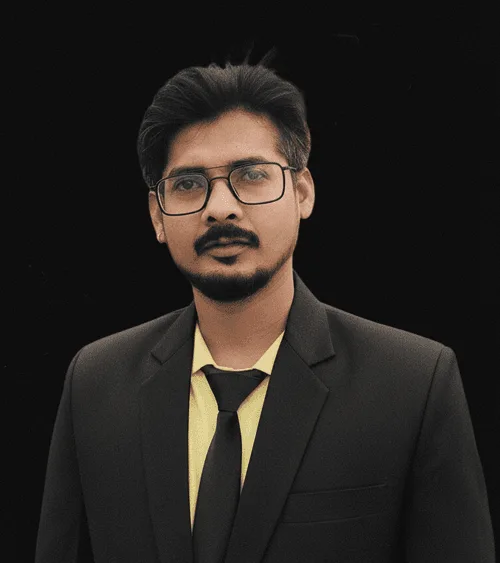
Mr. Ravi
"Maine pichle 12 salon me 450+ client websites deliver ki hain. Mera maksad aapko theoretical baatein sikhana nahi, balki screen share karke wahi practical process sikhana hai jisse market me real websites banti hain aur clients khush hokar pay karte hain."
Aaj Join Karne Par ₹15,495 Ke 5 Mega Bonuses Bilkul FREE!
Aapki learning, web designing aur client acquisition ko 10x fast banane ke liye ye 5 premium gifts free diye ja rahe hain.
🎨 3-Days Live Canva Masterclass
Website banners, logos aur client presentation graphics banana seekhein bina Photoshop ke.
🧩 50+ Premium Ready-to-Use Templates
Drag-and-drop Elementor templates bundle jisse aap 1 ghante me client website design kar sakein.
🛠️ Lifetime Community & Mentor Support
Future me kabhi bhi WordPress me koi dikkat aaye, toh community me direct doubt support access.
🤖 Ready-to-Use Website Designing Prompts
AI UI/UX layout prompts, color palette generators aur wireframe planning prompt library.
💬 High-Converting ChatGPT Prompts Library
Website copy, headlines, about us, client pitching messages aur proposal writing ChatGPT prompts.
Total Bonus Value: ₹15,495
Yeh saare 5 bonuses aapko Sunday Live Masterclass me enroll karte hi instant free unlock honge.
100% Transparency — ₹49 Me Kya-Kya Milega?
₹49 one-time payment me aapko Sunday ki Live Practical Masterclass, session ki video recording, teeno software/prompt bundles aur Lifetime Support milega. Koi hidden charge nahi hai.
Aksar Pooche Jaane Wale Sawaal (FAQs)
Agar aapke man me koi sawal hai, toh yahan clear answers dekhein:
Aapko bilkul chinta karne ki zaroorat nahi hai. Live session ki full HD recording student portal par upload ho jayegi, jise aap jab chahein dekh sakte hain.
Agle Sunday subah 11:00 AM IST par live class Zoom / Google Meet par hogi. Enrollment ke turant baad aapko WhatsApp group aur email par class link mil jayega.
Is masterclass me aap bina kisi coding ke WordPress se live website banana practical way me seekhenge — domain, hosting, WordPress setup, stunning layout design, mobile optimization aur live publish karne ka pura workflow.
Live class aap mobile ya laptop kisi se bhi attend kar sakte hain. Future me practical website banane ke liye laptop/desktop hona recommended hai.
Haan! Enrollment ke baad aapko WhatsApp group aur resource portal me Website Designing Prompts, ChatGPT Prompts aur Elementor Templates ka direct download link mil jayega.
Bilkul nahi! Yeh ek one-time ₹49 entry fee hai jisme live practical session, recording, saare 5 bonuses aur lifetime community support shamil hain.
Next Sunday Live Masterclass Me Apni Seat Confirm Karein
Instant Confirmation • Zoom Link Email & WhatsApp par turant receive hoga.