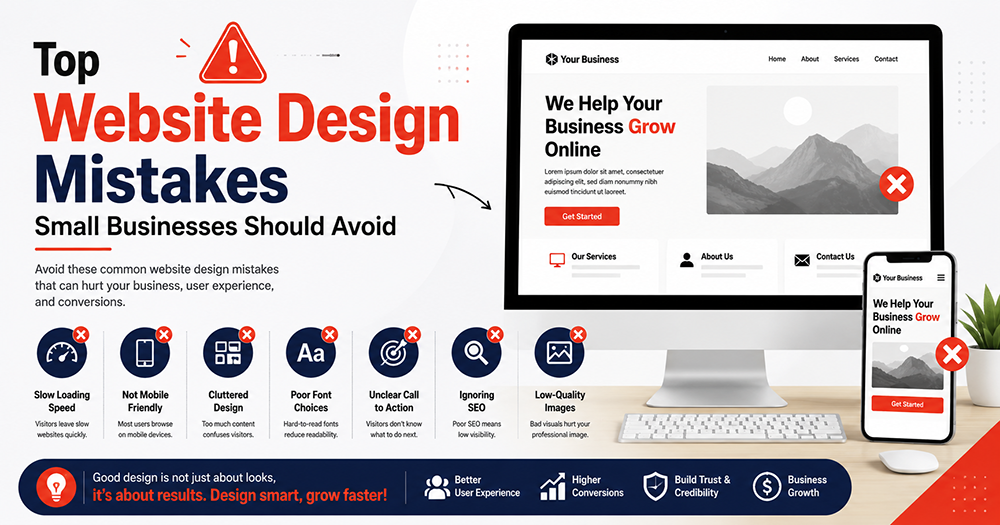
Top Website Design Mistakes Small Businesses Should Avoid
A professional website can help a small business build trust, attract customers, generate leads, and grow online. But many small businesses make common website design mistakes that reduce customer trust and affect conversions.
A website should not only look good; it should also be fast, mobile-friendly, easy to use, and focused on business goals. If your website is confusing, slow, or poorly designed, visitors may leave within seconds. That means lost leads, lost sales, and lost business opportunities.
Why Website Design Mistakes Hurt Small Business Growth
A website is often the first place where customers judge your business. If the design is poor, the layout is confusing, or the website is slow, customers may not trust your brand.
These website design mistakes can affect mobile experience, SEO performance, lead generation, and overall brand image. Small businesses should focus on clarity, speed, trust, and easy customer action.
Common Website Design Mistakes to Avoid
Below are the most important mistakes that small businesses should fix before expecting better online results from their website.
1. Poor Mobile Design
Most users today visit websites from mobile phones. If your website does not look good on mobile, you may lose a large number of customers.
Common mobile design mistakes:
- Text is too small to read
- Buttons are hard to click
- Images go outside the screen
- Menu does not open properly
- Contact button is not visible
- Page loads slowly on mobile
Always check your website on mobile before publishing. Your website should look clean, readable, and easy to use on every screen size.
2. Slow Loading Speed
A slow website creates a bad first impression. Customers do not like waiting. If your website takes too long to load, visitors may leave and choose your competitor.
Reasons for slow speed:
- Heavy images
- Too many plugins
- Unoptimized videos
- Poor hosting
- Too many animations
- Unused CSS and JavaScript
Use compressed WebP images, lightweight themes, limited plugins, good hosting, and caching plugins. A fast website improves user experience and can also support better SEO performance.
3. Confusing Navigation
Your website menu should be simple and clear. Visitors should easily find important pages like Services, About, Contact, Pricing, Portfolio, and Blog.
Avoid these navigation mistakes:
- Too many menu items
- Hidden important pages
- Broken links
- Confusing page names
- No clear contact option
- Difficult mobile menu
A better menu structure can include Home, About, Services, Portfolio, Blog, and Contact. Simple navigation helps customers understand your business quickly.
4. Weak Call-to-Action Buttons
A website should guide visitors toward action. If there is no clear call-to-action, visitors may leave without contacting you.
Good call-to-action examples:
- Call Now
- Get Free Consultation
- WhatsApp Us
- Book a Demo
- Request a Quote
- Start Your Website
Place CTA buttons in important sections like the hero area, services section, pricing section, and footer. Make sure buttons are visible and easy to click.
5. Using Too Many Colors and Fonts
Many small businesses try to make their website attractive by using too many colors, fonts, and design effects. This can make the website look unprofessional.
Design mistakes to avoid:
- Using 5–6 different colors
- Using too many font styles
- Poor contrast between text and background
- Unbalanced spacing
- Overloaded sections
Use 2–3 brand colors and 1–2 fonts only. Keep the design clean, modern, and professional. A simple design often looks more premium than a crowded design.
6. No Clear Business Message
Visitors should understand your business within the first few seconds. If your homepage does not clearly explain what you do, customers may get confused.
Your homepage should clearly answer:
- What service do you provide?
- Who is it for?
- How can customers contact you?
- Why should they choose you?
Instead of writing only “Welcome to our website,” write something meaningful like: Professional Website Design and Digital Marketing Services for Small Businesses in India.
7. Poor Quality Images
Low-quality images can damage your brand image. Blurry photos, stretched graphics, and random stock images make a website look unprofessional.
Better image practices:
- Use clear and high-quality images
- Compress images before uploading
- Use real business photos if possible
- Maintain same image style
- Add alt text for SEO
Good visuals help customers trust your business and understand your services better.
8. Missing Contact Details
Many websites make it difficult for visitors to contact the business. This is a major mistake, especially for small businesses.
Important contact details:
- Phone number
- WhatsApp number
- Email address
- Business location
- Google Map
- Contact form
- Social media links
Add contact details in the header, footer, and contact page. If possible, add a floating WhatsApp button for quick enquiries.
9. Ignoring SEO Basics
A beautiful website is not enough if people cannot find it on Google. Small businesses should avoid ignoring basic SEO.
Basic SEO elements:
- Proper page title
- Meta description
- H1, H2, and H3 headings
- Keyword-focused content
- Image alt text
- Fast loading pages
- Internal links
- Sitemap submission
- Google Search Console setup
SEO-friendly design helps your website get more visibility and long-term traffic.
10. No Trust-Building Sections
Customers need proof before choosing your business. If your website has no testimonials, portfolio, reviews, or case studies, visitors may hesitate.
Add trust sections like:
- Customer testimonials
- Portfolio or previous work
- Google reviews
- Before-after results
- Certifications
- Business achievements
- FAQs
These elements help customers feel confident about your services.
Benefits of Avoiding Website Design Mistakes
When small businesses avoid these common website design mistakes, they can get better results from their website.
Main benefits include:
- Better customer trust
- More enquiries and leads
- Improved mobile experience
- Faster website speed
- Better Google visibility
- Higher conversion rate
- Stronger brand image
- Professional online presence
A well-designed website can become one of the most powerful assets for your business.
Final Recommendation
Your website should be simple, fast, mobile-friendly, SEO-ready, and focused on customer action. Avoid over-designing the website. Focus on clarity, trust, speed, and lead generation.
A professional website does not need to be complicated; it needs to be useful and easy to understand. Fixing website design mistakes can improve customer confidence and help your business generate better results online.
How KritanSkillX Can Help Your Business
KritanSkillX helps small businesses, startups, freelancers, students, and business owners grow online with website design, WordPress development, branding, SEO setup, landing page design, digital marketing, and business growth support.
Benefits of choosing KritanSkillX:
- Professional website design
- Mobile-friendly layout
- SEO-ready website structure
- Fast and clean website design
- WhatsApp and lead generation setup
- Branding and creative design support
- Digital marketing guidance
- Affordable solutions for small businesses
Website Design Mistakes Support for Better Growth
To build a professional online presence and avoid costly design problems, explore our professional website design and digital marketing services in India.
Watch: Common Web Design Mistakes
Useful Resource
To learn more about improving website visibility and SEO basics, visit this helpful resource:
Whether you need a professional website, branding, marketing campaigns, business strategy, or live skill training, KritanSkillX is ready to help you move forward.