How a Website, SEO, and Social Media Work Together for a Small Business
A business can have a website without getting meaningful search visibility. It can also have active social media accounts without giving potential customers enough information to make a decision.
The problem is often not the absence of individual marketing channels. It is the lack of connection between them.
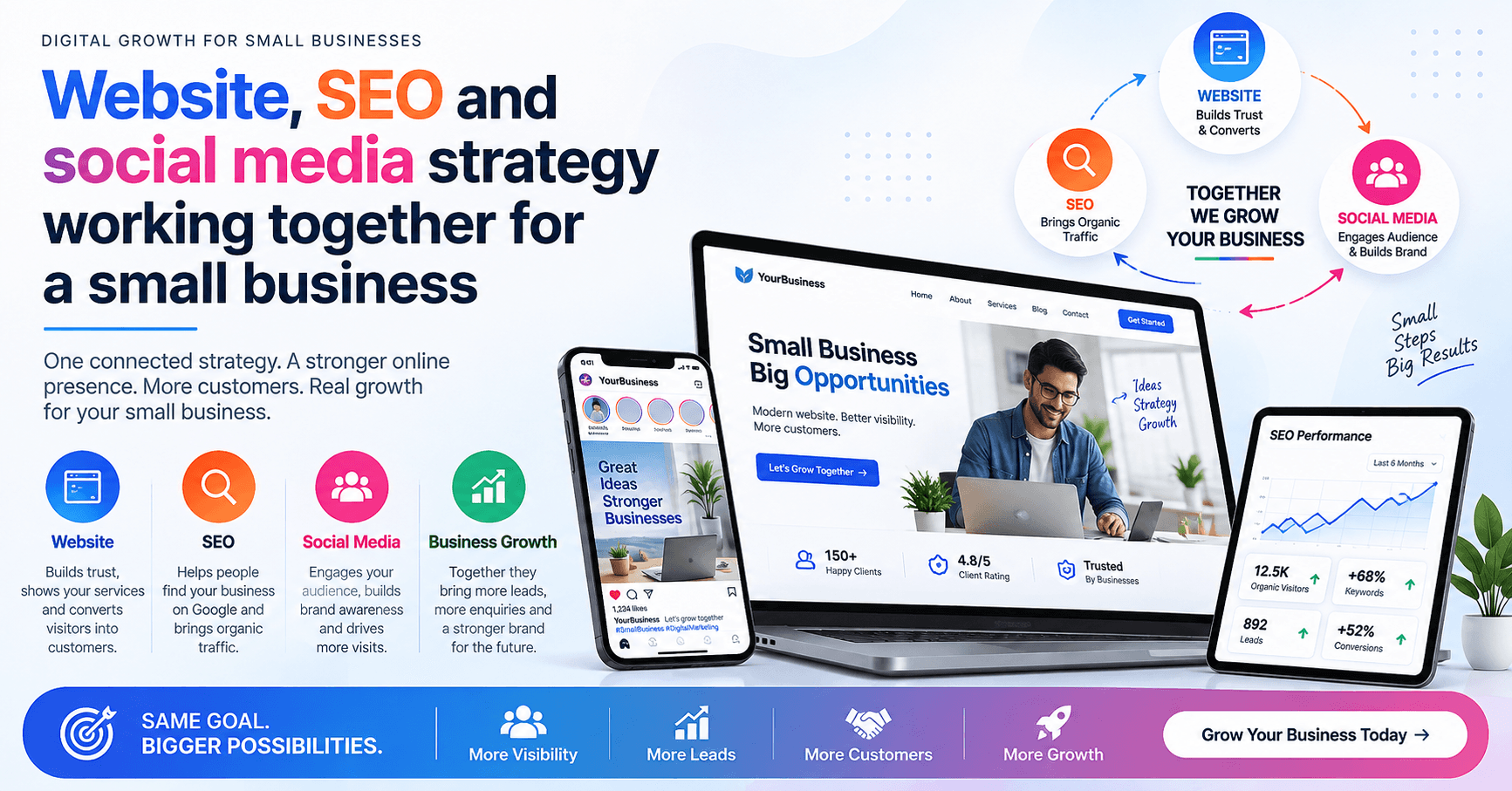
A website, SEO, and social media serve different purposes. Your website can provide detailed information and guide visitors toward an action. SEO helps people discover relevant pages through search. Social media can introduce your business to audiences, start conversations, and distribute useful content.
When these channels support one another instead of operating independently, the customer journey becomes easier to understand.
This guide explains what each channel does, how they connect, what information belongs where, and how a small business can build a practical system without trying to do everything at once.
Why These Three Channels Should Not Be Treated Separately
Imagine a local service business publishes a useful social media post answering a common customer question.
Someone sees the post and wants more information.
The social post can direct that person to a relevant website page or article. The website can then explain the service in greater detail and provide the appropriate next step.
At the same time, the website article can be discovered through Google when another person searches for the same question.
The channels are different, but they can support the same customer journey.
The important point is that this does not mean every business needs to be active on every platform or publish constantly. The right combination depends on the business, its audience, resources, and goals.
What Each Part Does
1. Website: The Information and Conversion Hub
Your website is the place where you can organize important information in one location.
- What the business offers
- Who the service is for
- Product or service details
- Frequently asked questions
- Contact information
- Location details
- Portfolio or examples
- Educational articles
- Enquiry or booking options
A website gives a visitor more context than a short social media post normally can.
For example, a social post might explain three common mistakes customers make when choosing a service. The related website article can explain each mistake in detail, answer common questions, and help the visitor understand what to consider next.
A website should therefore be more than an online brochure. Its pages should help visitors understand the business and find the information they need.
2. SEO: Helps People Discover Your Content
Search engine optimization helps search engines understand your pages and helps users discover relevant content.
Google's Search Essentials recommends creating helpful, reliable, people-first content and using words that people would actually use when searching for the topic.
For a small business, SEO can apply to several types of pages:
- Service pages
- Product pages
- Location pages
- Helpful blog articles
- Frequently asked questions
- Supporting informational pages
For example, a business selling website design could create a useful article explaining what a small business website should contain.
That article can answer a real customer question while also supporting the website's broader topic.
SEO should not be treated as simply adding keywords to pages. The content still needs to solve the visitor's problem.
3. Social Media: Builds Awareness and Interaction
Social media can help businesses communicate with existing and potential customers.
Depending on the platform and audience, businesses may use social content to:
- Explain common problems
- Share educational tips
- Show products or services
- Answer questions
- Introduce the people behind a business
- Share new articles
- Discuss industry developments
A useful social post does not always need to sell something.
For example, instead of repeatedly posting "Contact us for our service," a business could publish a short educational post explaining what customers should check before purchasing that service.
The post can then point interested readers toward a more detailed resource on the website.
How the Three Channels Connect
The easiest way to understand the system is to give each channel a different job.
| Channel | Main Role | Example |
|---|---|---|
| Website | Provide detailed information | Service page or guide |
| SEO | Help people discover relevant pages | Search visibility |
| Social media | Distribute ideas and interact with audiences | Educational post or video |
The same topic can sometimes appear across all three channels, but it should be adapted to the format.
Website: Complete Guide to Choosing a Business Website
SEO: Optimize the page so search engines can understand its subject and users can discover it through relevant searches.
Social media: Create a short post covering three important questions people should ask before building a website.
The social post does not need to reproduce the entire article. It can give the audience a useful starting point and direct people who want more detail to the full resource.
A Simple Customer Journey Example
Consider a small local service business.
A potential customer sees a social media post explaining a common problem.
The customer becomes interested and visits the website.
On the website, they find a detailed article explaining the problem and possible solutions.
The article links naturally to a relevant service page for readers who need professional help.
Another customer may discover the same article directly through Google without ever seeing the social post.
The two visitors arrived differently, but the website provides the central information.
This is why connecting channels can be more useful than treating them as completely separate marketing activities.
What Should Go on Your Website vs Social Media?
Website content is better suited for:
- Detailed guides
- Service explanations
- Product information
- FAQs
- Comparison articles
- Tutorials
- Contact and enquiry information
Social media is better suited for:
- Short educational tips
- Visual explanations
- Quick answers
- Discussions
- Short videos
- Announcements
- Behind-the-scenes content
- Links to useful website resources
The same subject can be used in both places, but the presentation should be different.
How SEO Supports the Whole System
SEO can act as the discovery layer for your website content.
Suppose a business creates a detailed article answering a common customer question. That article can become a useful destination for search visitors, social media visitors, email visitors, and people who receive the link directly.
This makes useful website content more reusable.
However, there is no guarantee that a particular page will rank or generate traffic. Google's own guidance emphasizes usefulness and people-first content rather than writing to a particular word count or trying to manipulate search rankings.
The goal should be:
Not:
Choose a keyword → Write a generic article → Repeat the keyword → Expect traffic.
A Practical Setup for a Small Business
Step 1: Build the Essential Website Pages
Start with the information customers genuinely need.
- Home
- About
- Services or Products
- Contact
- Relevant FAQs
- Helpful articles
Step 2: Identify Real Customer Questions
Look at questions customers ask before purchasing. These questions can become useful article topics.
Instead of writing: "10 Benefits of Digital Marketing"
a more useful topic might be: "How Should a Small Business Choose Between SEO and Paid Advertising?"
The second topic gives the reader a decision to make and creates an opportunity for practical guidance.
Step 3: Create One Strong Resource
Instead of publishing many short articles, create a useful guide that properly answers the question.
Google encourages creators to consider whether readers will leave the page having learned enough to achieve their goal.
Step 4: Repurpose the Idea for Social Media
Turn the main article into several smaller educational pieces.
For example, an article about choosing a website platform could become:
- One post about choosing based on business type
- One short video about common mistakes
- One checklist
- One question-based post
- One link back to the detailed guide
This gives the original research more practical use without copying the article word-for-word.
Step 5: Connect Relevant Pages
Where appropriate, link related website pages together.
For example:
Blog article → Relevant service page
and
Service page → Useful supporting article
The link should help the visitor, not exist simply to insert another internal link.
Common Mistakes to Avoid
1. Treating Social Media as the Entire Website
Social platforms are useful, but they should not be the only place where important business information exists.
2. Publishing a Website and Never Improving It
A website should be reviewed when services, products, business information, or customer questions change.
3. Writing Articles Only Because Keywords Look Attractive
A keyword is not a reason by itself to create an article. Start with a useful question or problem.
4. Copying the Same Content Everywhere
A long website article, social media caption, and video script should not all be identical.
Adapt the idea to the format.
5. Trying to Manage Every Social Platform
Being active on fewer relevant channels can be more practical than creating accounts everywhere and maintaining none consistently.
6. Making Every Piece of Content Promotional
If every article or social post immediately asks people to buy something, the educational value becomes weaker.
A useful content system should include information that helps people even before they are ready to become customers.
How to Measure Whether the System Is Working
Avoid judging the entire strategy from one number.
Look at several signals.
Website
Check:
- Which pages receive visits
- Which articles people read
- Which pages generate enquiries
- Whether visitors can easily find important information
Search
Use Google Search Console to understand how your pages appear in Google Search and which queries generate impressions and clicks.
Social Media
Look at:
- Meaningful engagement
- Questions and conversations
- Content that people actually interact with
- Visits to your website when measurable
The objective is not necessarily to maximize every metric.
The more useful question is:
Frequently Asked Questions
Does every business need SEO and social media?
Not necessarily in the same form or at the same level. The right mix depends on the business, audience, resources, and customer journey. A business should prioritize channels that its customers actually use.
Is a website more important than social media?
They perform different functions. A website can organize detailed business information, while social media can help a business communicate and distribute content. They can work together rather than being treated as replacements for one another.
Can social media replace a business website?
For some businesses, social platforms may provide much of their initial online presence. However, relying entirely on a third-party platform means the business has less control over how information is organized and presented. A website can provide a dedicated home for detailed information.
How does SEO help a small business website?
SEO helps search engines understand website content and helps users discover relevant pages. It is most useful when combined with genuinely helpful content rather than keyword repetition.
Should every social media post link to the website?
No. Some posts can stand alone and simply provide useful information or encourage conversation. Link to the website when the destination genuinely adds more value.
How often should a small business publish content?
There is no universal publishing frequency that guarantees success. A smaller number of useful, well-maintained resources can be more valuable than publishing large amounts of repetitive content.
Conclusion
A website, SEO, and social media do not have to compete for attention. They can perform different jobs within the same digital marketing system.
Your website can provide the detailed information customers need. SEO can help relevant users discover that information. Social media can help distribute useful ideas, start conversations, and bring interested people back to deeper resources.
The most practical approach is not to be everywhere.
It is to create useful information, place it where your audience can find it, and connect the different channels in a way that makes the customer's next step easier.
That approach keeps the focus where it belongs: helping people understand your business rather than simply producing more marketing content.
If your business needs help connecting its website, SEO, content, or digital marketing activities, explore the relevant resources and services available from KritanSkillX .
Note: Digital marketing, SEO, and social media results can vary depending on factors such as the business, audience, competition, content quality, resources, and implementation. No specific ranking, traffic, sales, or business-growth result is guaranteed.