
What Should a Small Business Website Include? A Practical Checklist
When potential customers search for a local service, a specialized contractor, or an independent shop, they rarely care about complex animations or visual gimmicks. They visit a website looking for fast, clear answers: Who are you? Can you solve my problem? Are you reputable? How do I get in touch?
Many small business owners fall into one of two traps: either they build an overly complicated website that confuses visitors, or they assemble an incomplete placeholder that leaves essential questions unanswered.
A business site does not need dozens of pages to be effective. It needs the right core pages, credible trust signals, and a frictionless way for prospective clients to take action. This guide breaks down exactly what should a small business website include, accompanied by a practical implementation checklist.
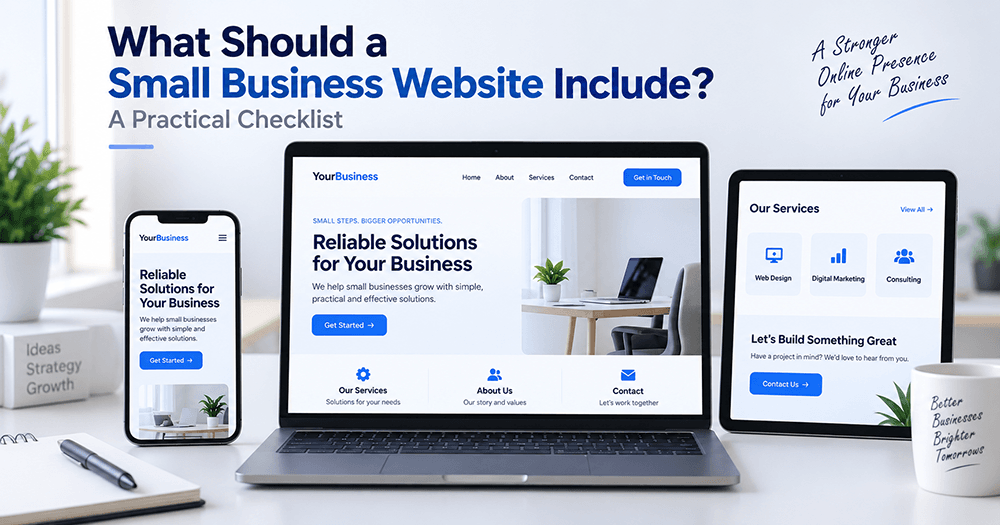
Core Pages: What Should a Small Business Website Include?
When evaluating what should a small business website include, the starting point is always the visitor's journey. While business models vary, four foundational pages form the backbone of almost every functional small business website.
Immediate value proposition, target customer clarification, high-level service preview, and a direct primary action.
Founding story, authentic team photographs, business values, and verifiable trade credentials or licenses.
Distinct breakdown of individual offerings, project workflows, scope limitations, and realistic expectations.
Short 3-to-4 field inquiry form, direct phone number, email address, physical location, or service area list.
1. A Clear, Value-Focused Homepage
Your homepage is often the first impression a visitor gets. Research on web usability consistently indicates that visitors decide within seconds whether a website is relevant to their needs.
Your homepage must immediately clarify three things above the fold (the area visible before scrolling):
- What you do: State your core service in plain English. Avoid abstract jargon like "Empowering Next-Gen Synergies." Instead, use clear language such as "Residential Electrical Repairs and Panel Upgrades in Bristol."
- Who you serve: Clarify your target audience or service radius (e.g., homeowners, corporate offices, local retail shoppers).
- What the visitor should do next: Provide a prominent, unambiguous call-to-action (CTA), such as "Request an Estimate" or "Schedule a Consultation."
2. An Authentic "About Us" Page
Small businesses possess a distinct competitive advantage over faceless corporations: real people provide the service. An authentic About page builds personal connection and accountability.
Include:
- The background story: Why was the business established, and what principles guide your work?
- Real team photos: Stock photos of generic models in suits undermine credibility. Featuring actual team members or your physical workspace creates immediate rapport.
- Credentials and certifications: List relevant licenses, trade certifications, insurance coverage, or professional memberships.
3. Dedicated Service or Product Pages
Grouping every service onto one massive, unstructured page makes it harder for visitors to find what they need—and reduces search engine visibility. Create individual pages (or structured, distinct sections) for your main offerings.
Each service section should explain:
- What the service includes and who it is best suited for.
- What the workflow looks like (e.g., initial consultation → project execution → handover).
- Realistic expectations regarding turnaround times or deliverables.
- Answers to common service-specific questions.
4. A Frictionless Contact Page
If a prospect decides to work with you, reaching out should take minimal effort. A functional contact page should provide multiple communication options:
- A brief contact form: Ask only for essential details (Name, Email/Phone, and a short message). Long forms with eight or ten required fields consistently decrease completion rates.
- Direct contact details: Display a working email address and direct phone number. Many prospects prefer calling or writing directly from their personal email client.
- Physical location or service area: If you operate a physical storefront, include your address, opening hours, and an embedded map. If you provide mobile services, explicitly list the cities or districts you cover.
On-Page Elements That Build Immediate Trust
A website can have clean typography and well-written copy, but without trust signals, visitors may hesitate to reach out. Beyond simple contact details, deciding what should a small business website include must factor in credibility and accountability.
Verified Social Proof and Testimonials
Highlight realistic reviews from real clients. When displaying testimonials:
- Use the client’s first name, general location, or company name (with permission).
- Focus on testimonials that describe a specific problem solved rather than vague praise (e.g., "They arrived within two hours of my call and fixed the leak before the weekend" provides far more value than "Great work!").
- If you have reviews on established third-party platforms (like Google Business Profile), consider linking to them so visitors can verify their authenticity.
Realistic Pricing or Budget Guidance
Small businesses often debate whether to post pricing online. While custom service providers cannot always provide exact quotes upfront, providing pricing context saves time for both you and your potential clients.
If exact prices vary based on scope:
- Provide starting rates (e.g., "Project engagements begin at $1,200").
- Provide typical project ranges (e.g., "Most small business branding projects fall between $800 and $2,500 depending on deliverables").
- Clearly explain what factors influence the final cost.
Clear Guarantees, Policies, and Next Steps
Reduce visitor hesitation by detailing what happens after they reach out:
- State your typical response window (e.g., "We respond to all inquiries within one business day").
- Highlight satisfaction policies, warranties, or revision limits in clear, plain terms.
Technical and Functional Must-Haves
Many owners focus solely on visual design, but determining what should a small business website include also requires solid technical reliability.
1. Mobile-First Responsiveness
Google predominantly uses the mobile version of a website for indexing and ranking (Google Search Central, Mobile-First Indexing Documentation). More importantly, a significant percentage of local service searches occur on smartphones.
- Fonts remain comfortably readable without zooming (16px base font size or larger).
- Buttons and links are spaced appropriately so users do not tap the wrong element accidentally.
- Phone numbers are clickable (
<a href="tel:...">), allowing mobile users to call with a single tap. - Forms are straightforward to complete on mobile virtual keyboards.
2. Fast Loading Speeds
Slow websites frustrate visitors. If a page takes several seconds to display basic content, visitors often return to search results to pick an alternative.
Common causes of sluggish performance for small business sites include:
- Uploading multi-megabyte camera images directly without compression.
- Using excessive WordPress plugins or heavy visual page builder add-ons.
- Hosting on low-quality, congested shared web servers.
3. Baseline Security (HTTPS) and Legal Pages
- SSL Certificate (HTTPS): Encrypts form submissions and prevents web browsers from flagging your site with a "Not Secure" warning in the address bar.
- Privacy Policy: Required by data privacy regulations if your website collects personal information through forms, analytical tracking, or cookies.
- Terms of Use: Sets reasonable boundaries and disclaimers regarding the information presented on your website.
Common Website Mistakes Small Businesses Make
| Common Mistake | Why It Harms the User Experience | Practical Fix |
|---|---|---|
| Vague Headlines | Phrases like "Innovative Solutions for Modern Times" do not explain what the business actually does. | Use plain, specific language: "Residential Plumbing and Boiler Services in North London." |
| Hiding Contact Details | Forcing users to hunt through three submenus just to find an email or phone number causes drop-offs. | Place your phone number or primary contact link in the header and footer of every page. |
| Stock Photo Overload | Showing a glass skyscraper when you operate a suburban auto garage looks impersonal and fake. | Take clean, well-lit photos of your actual workplace, tools, vehicles, or team. |
| Overlong Forms | Requesting budgets, fax numbers, and mailing addresses for a simple question frustrates users. | Keep contact forms to 3–4 fields maximum. |
| Autoplaying Media | Unprompted music or video with sound disrupts visitors, particularly on mobile devices. | Let the user decide when to click play on any video or audio content. |
The Practical Small Business Website Checklist
If you are planning a redesign or preparing for a launch, use this structured checklist to audit what should a small business website include before going live:
- Clear headline on the homepage explaining what the business does and where it operates
- Dedicated pages or sections for primary services or products
- An "About Us" page detailing experience, the team, and business values
- Clear call-to-action (CTA) buttons on every page
- Short, easy-to-complete inquiry form (3–4 fields)
- Prominently displayed phone number, email address, and service area
- Genuine testimonials or references with context
- Real photos of the business, team, or completed projects
- Trade licenses, insurance coverage, or professional memberships listed
- Realistic pricing ranges, starting rates, or explanation of cost factors
- Transparent response time expectations (e.g., "We reply within 24 hours")
- Fully responsive layout that functions cleanly on mobile phones and tablets
- Active SSL certificate (
https://enabled) - Click-to-call functionality enabled on all phone numbers
- Images compressed and scaled before upload (avoiding raw camera files)
- Clear Privacy Policy and Terms of Use linked in the footer
- Accurate Google Business Profile link or embedded map (for local businesses)
How to Get Started Without Overcomplicating It
Building a business website does not need to be a stressful, multi-month undertaking. If you are starting from scratch, consider a phased launch:
- Phase 1 (The Core): Launch a streamlined 3-to-4 page website covering your homepage, primary services, background, and direct contact methods.
- Phase 2 (Expansion): Once operational, add individual case studies, detailed service guides, or an informational blog addressing common customer questions.
At KritanSkillX, our web design approach emphasizes clarity over unnecessary visual clutter. Ultimately, understanding what should a small business website include comes down to answering your customers' questions without friction.
Frequently Asked Questions
A single-page website can work well for businesses with a single focused service or a small local establishment (like a single-location barber or a specialized consultant). However, if you offer multiple distinct services, operate across several service areas, or plan to publish helpful guides over time, a multi-page architecture is better organized for visitors and easier for search engines to index.
If your services have fixed pricing, publishing them filters out mismatched leads and builds trust. If your work involves customized scopes (such as renovation or custom consulting), providing a starting price or a realistic project range helps prospective clients determine whether your services fit their budget before they reach out.
Review your website at least once per quarter to ensure phone numbers, business hours, service details, and team information remain current. Outdated information—such as a disconnected phone number or retired services—creates immediate friction for prospective clients.
A blog is not mandatory for a website to be functional. It is better to have no blog than an abandoned blog whose last post was published two years ago. However, if you have the capacity to answer real questions your clients frequently ask, an informative blog can be a helpful resource for educating prospects before they make an inquiry.